Appearance
Run the Lab checks
The Checks tab in Payload Lab runs five diagnostic checks against your payload. Get all five green before you take your payload to a bench bus. They catch most integration bugs in minutes, with no hardware from Urban Sky.
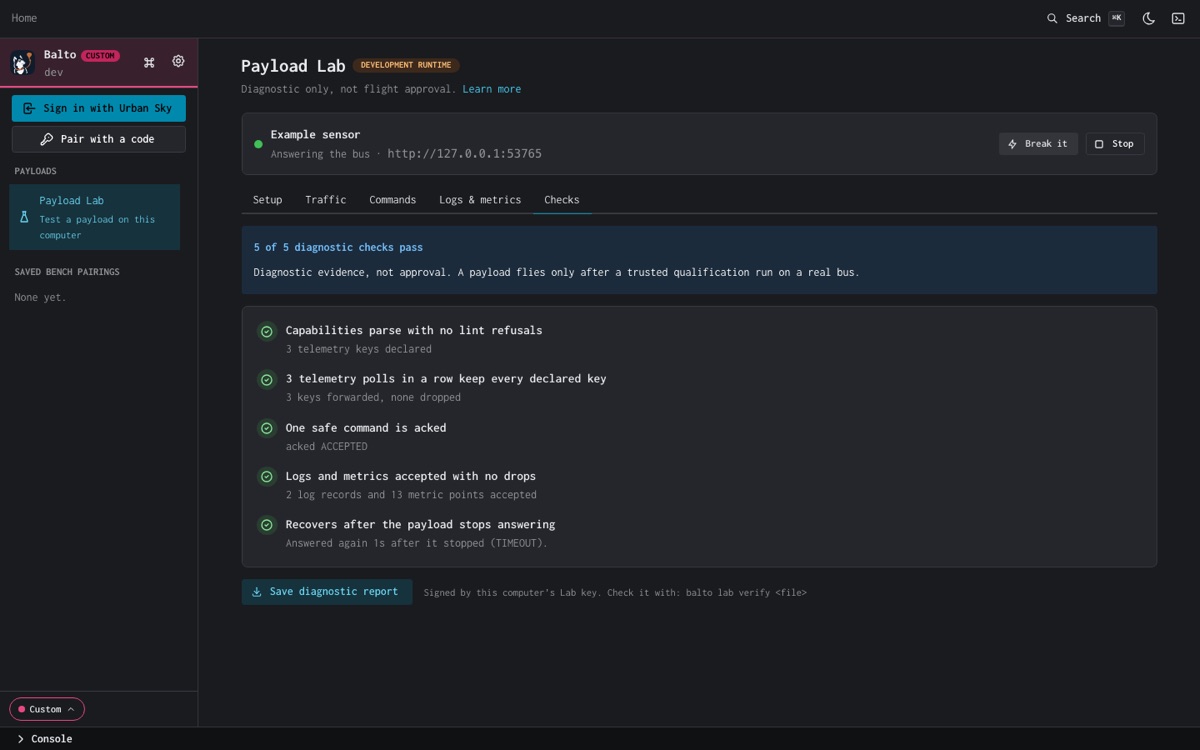
The five checks
| Check | Passes when | Usual fix |
|---|---|---|
| Capabilities parse with no lint refusals | GET /api/v1/capabilities parses and the bus's lint refuses nothing. | The refusal names the rule. See Serve the device API. |
| 3 telemetry polls in a row keep every declared key | Three polls in a row forward every key you declared, none dropped. | Report every declared key on every poll, with the declared type. |
| One safe command is acked | One command you send from the Commands tab comes back acked. | Answer POST /api/v1/command with { "success": true, ... }. |
| Logs and metrics accepted with no drops | The ingest accepted logs and metrics and dropped none. | Push to the ingest URL shown in Setup (USKY_BUS_INGEST_URL) and stay inside the limits. The check passes again after a minute with no drops. |
| Recovers after the payload stops answering | Your payload stops answering, then answers again. | Restart cleanly, and keep serving the same capability document after a restart. |
The top of the tab counts them: N of 5 diagnostic checks pass.
Break it on purpose
With a built-in payload, Break it turns on a fault so you can see what the bus does with a misbehaving payload. The button then names the fault, for example Breaking: wrong type.
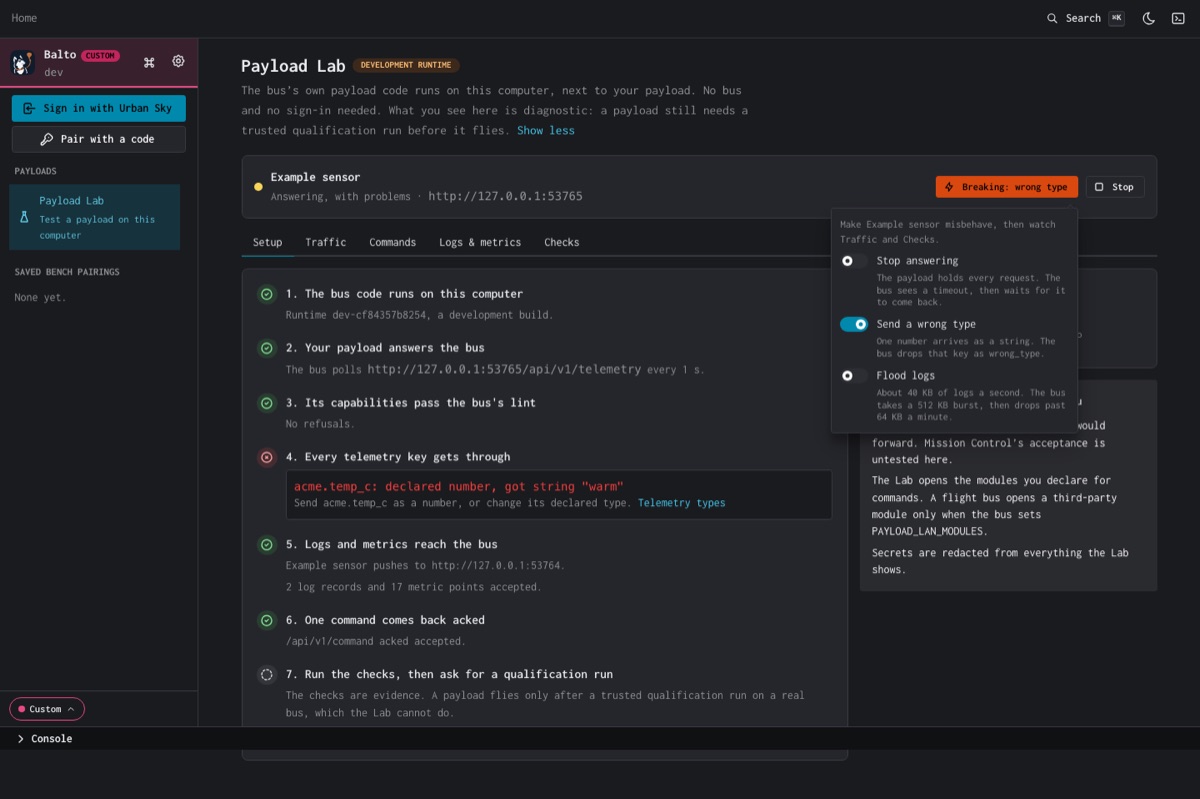
| Fault | What happens |
|---|---|
| Stop answering | The payload holds every request. The bus sees a timeout, then waits for it to come back. |
| Send a wrong type | One number arrives as a string. The bus drops that key as wrong_type. |
| Flood logs | About 40 KB of logs a second. The bus takes a 512 KB burst, then drops past 64 KB a minute. |
The docs example has the same faults. Turn them on with PUT /_example/faults (see its README), or start the Lab with balto lab up --mock example --fault badType.
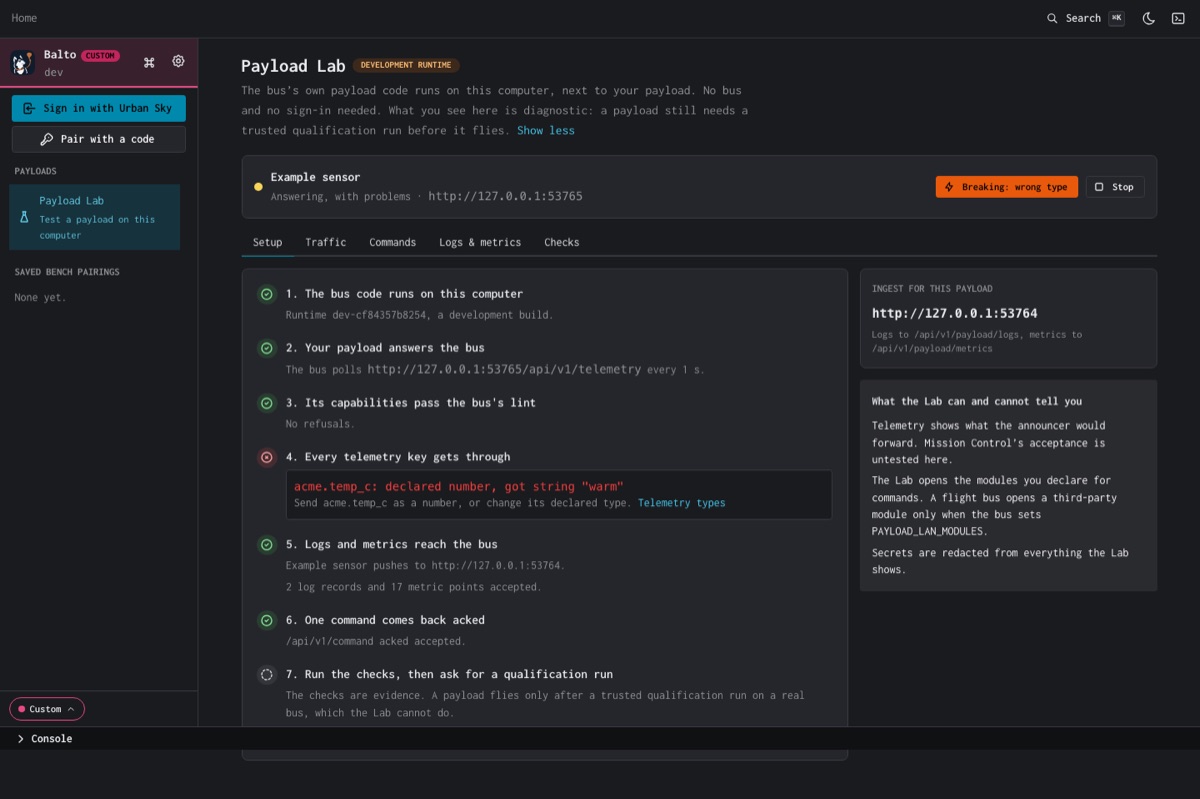
A dropped key shows what was declared, what arrived, and the fix:
The recovery test
With a built-in payload, choose Run recovery test under the recovery check. The Lab silences the payload for 6 s, then lets it answer again. The check then reads, for example, Answered again 1s after it stopped (TIMEOUT).
With your own payload, stop it for a few seconds and start it again. While it is down, the check reads Payload down for Ns (cause). Start it again to finish the test.
The diagnostic report
Choose Save diagnostic report to save the checks as a JSON file. Balto signs it with this computer's Lab key (ed25519). Anyone can check that the file was not changed:
bash
balto lab verify lab-report.jsonIt prints Signature good., how many checks passed, when, and the runtime version, then the report's notice.
The report records what your payload did on your computer. Your own key signs it, so it proves the file is unchanged, not who ran the Lab or which firmware it tested. Send it to Urban Sky as evidence with your flight request. It does not replace the trusted qualification run. See Go to flight.
Check it worked
The Checks tab reads 5 of 5 diagnostic checks pass for your own payload, and balto lab verify prints Signature good. for the saved report.